


H3 Max Turbo video model

Guia oficial do modelo e gerador online

Gerador de vídeo com IA H3 Max

Gere vídeos 768p de 5 segundos em cerca de três segundos. O H3 Max Turbo transforma texto, uma imagem inicial ou primeiro e último quadro em vídeo fiel ao prompt, com áudio nativo sincronizado. Use o gerador de vídeo com IA H3 Max abaixo para criar a partir de prompt, imagem, par de quadros ou referências compatíveis.

H3 Max AI video generator showcase rendered with H3 Max Turbo
A quick H3 Max Turbo render with crisp kinetic type and purposeful commercial motion design.

Gere online com H3 Max

O espaço completo de vídeo do MuseGen está incorporado aqui e começa com H3 Max selecionado. Você ainda pode comparar variantes ou trocar de modelo sem perder o restante do fluxo.

Carregando o gerador de vídeo com IA H3 Max…

A geração exige uma conta e usa créditos conforme modelo, variante, duração, resolução e outras configurações. Tarefas com falha são reembolsadas automaticamente.

O que é H3 Max e quando usar?

H3 Max tackles the stage of AI video work that tends to stall a project: sitting through a render, seeing whether your instructions survived, and trying once more. Because H3 Max Turbo was optimised hand in hand with the servers that run it, a five-second 768p clip can be ready in roughly three seconds — quicker than the clip takes to play. Text-to-video, image-to-video and first-to-last-frame animation share one speedy workflow, with even motion, a refined look and sound generated alongside the picture.

How long a 5-second 768p clip usually takes
≈3s

How long a 5-second 768p clip usually takes

Length, in whole seconds
5–15s

Length, in whole seconds

Two quick native resolutions
480/768p

Two quick native resolutions

Picture with native synchronized audio
24 fps

Picture with native synchronized audio

Image to video

Begin with a frame. Carry its look into motion.

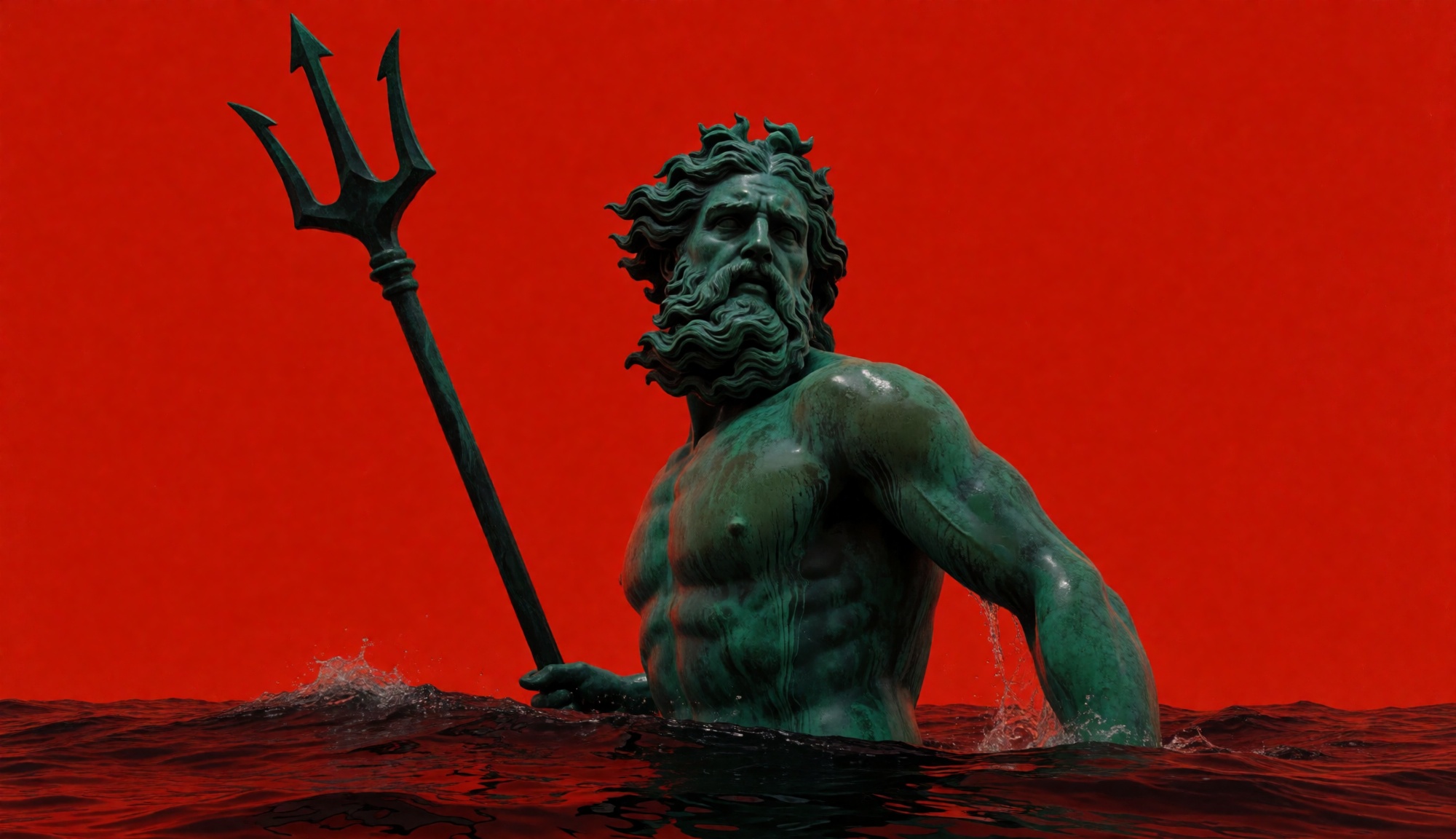
Upload a single image to set the subject, framing, light and format, then explain just the motion you want. H3 Max matches the shape of your uploaded image on its own. Add a second picture when the last frame matters, and the model builds the move from one keyframe to the other.

Opening frame

First-frame image
First-frame image

“The statue slowly turns to face the lens and raises the trident in one deliberate motion as water streams from the bronze. Slow heroic push-in, synchronized gravelly dialogue, ocean ambience, and precise motion-graphics hits.”

What it does well

Speed counts, because every better clip starts with one more take

Faithful to the prompt, fast enough to iterate

H3 Max Turbo has been tuned to keep detailed creative direction intact and still return the shot quickly. Describe the scene, the action, the camera, the look, the timing and the audio — no need to boil the prompt down to a few generic keywords.
Control over the first and last frame

Use two images whenever where the shot lands matters as much as where it begins. The model works out the motion that links the frames, which helps with transitions, reveals, transformations and brand work where layout is critical.

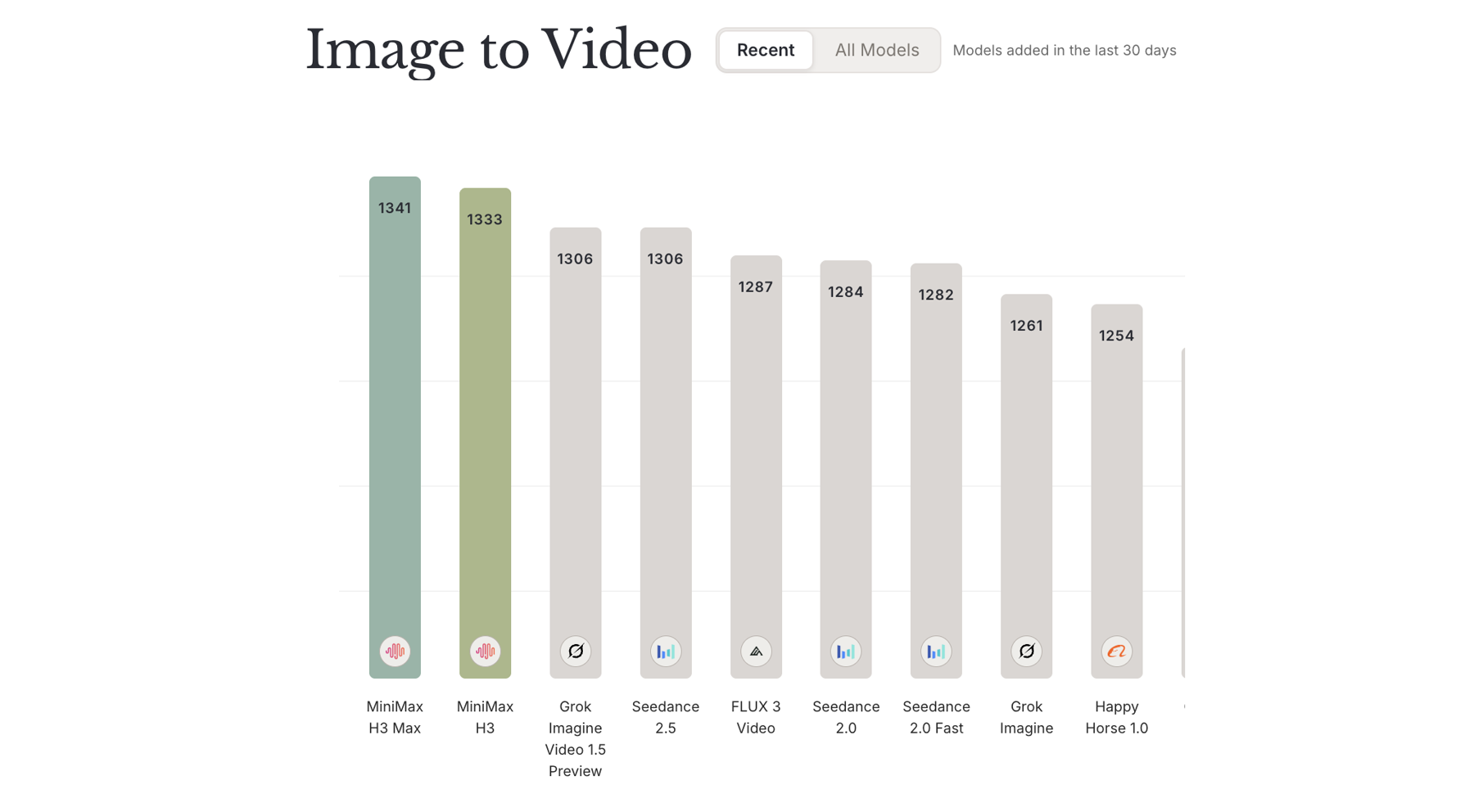
H3 Max leads in image-to-video

In the Design Arena image-to-video comparison published on August 25, 2026, H3 Max came first. That backs up the model's core trade-off: quick inference that never treats movement, faithfulness to the prompt or final polish as an afterthought.

Design Arena image-to-video leaderboard showing H3 Max in first place

H3 Max Turbo vs MiniMax H3

Go with H3 Max Turbo when speed and iteration come first. Go with MiniMax H3 when the job needs native 2K output or a bigger multimodal reference set.

FeatureMiniMax H3H3 Max Turbo
Ideal forThe most control and delivery-grade detailRapid creative iteration
ModesText, image, frames or omni-referenceText, image or first-and-last-frame
Resolution768p or native 2K480p or 768p
Length4 to 15 seconds5 to 15 seconds
Reference inputsImages, video clips and audio clipsA starting image, optional ending image
AudioNative stereoNative synchronized audio
SpeedPrioritises qualityQuicker than real time for a typical 5-second 768p clip

Made for work that gets better with every quick take

Go from idea to another finished take in seconds, whether you are working on characters, products, stylised pieces or campaigns.

Characters that talk

Produce lively acting with spoken dialogue, moving faces, ambience and camera direction from one prompt.

Stop-motion style campaigns

Develop hand-made clay, paper and craft looks for campaigns without building a real set for every version.

Macro product clips

Create glossy close-ups for product launch sites, social ads, marketplace listings and quick creative tests.

Começar a gerar

Como criar vídeo com H3 Max

Passe de uma ideia criativa a uma geração configurada com H3 Max sem sair desta página.

1

Descreva a cena

Descreva sujeito, ação, ambiente, câmera, estilo, tempo e som. Se tiver mídias de referência, envie-as e explique a função de cada arquivo.

2

Configure H3 Max

Mantenha H3 Max selecionado, escolha variante, modo, duração, proporção, resolução e áudio adequados e confira o custo exibido em créditos.

3

Gere, revise e reutilize

Inicie a tarefa, acompanhe o progresso no painel de resultados, revise o vídeo, reutilize as configurações para outra tomada ou baixe o arquivo final.

Perguntas frequentes sobre o gerador de vídeo com IA H3 Max

What is H3 Max?

H3 Max is a quick AI video generation model built on MiniMax H3. H3 Max Turbo is tuned for closer prompt adherence, a refined look, native synchronized audio and high-volume text-to-video and image-to-video work.

How quick is H3 Max Turbo?

A standard five-second 768p clip can render in roughly three seconds, so the model runs quicker than real time when you are iterating. The full wait can also include upload, queueing, network, moderation and storage steps.

Does H3 Max work from both text and images?

Yes. Type a prompt for text-to-video, upload a single starting image for image-to-video, or add both a first and a last frame to fix how the clip opens and closes.

Which lengths and resolutions does H3 Max offer?

H3 Max Turbo renders any whole number of seconds from 5 to 15, at 480p or 768p and 24 frames per second.

What aspect ratios does H3 Max Turbo support?

Text-to-video offers 21:9, 16:9, 4:3, 1:1, 3:4 and 9:16. For image-to-video and first-and-last-frame renders, the clip takes the ratio of the starting image.

Will H3 Max Turbo add sound?

Yes. Each render includes native synchronized audio, so your prompt can direct speech, ambience, effects and music together with what happens on screen.

What does Enhance prompt change in H3 Max?

With Enhance prompt off, H3 Max runs a balanced expansion for a quick rewrite. Switching it on uses quality expansion, which may take up to about 30 seconds to build a fuller prompt before rendering starts.

What does H3 Max cost on MuseGen?

H3 Max is billed by clip length and resolution: 3 credits per second at 480p and 5 credits per second at 768p. You see the exact total before you generate, and failed provider tasks are refunded automatically.

Fontes oficiais de H3 Max

Os recursos e mídias desta página foram pesquisados nas páginas de produto, anúncios e documentação oficiais do desenvolvedor.

Crie seu próximo vídeo com H3 Max

Abra o gerador completo de vídeo com IA H3 Max acima, adicione seu prompt ou referências e transforme a próxima cena da sua lista em um vídeo finalizado.

Começar a gerarVer todos os modelos