Dance and performance
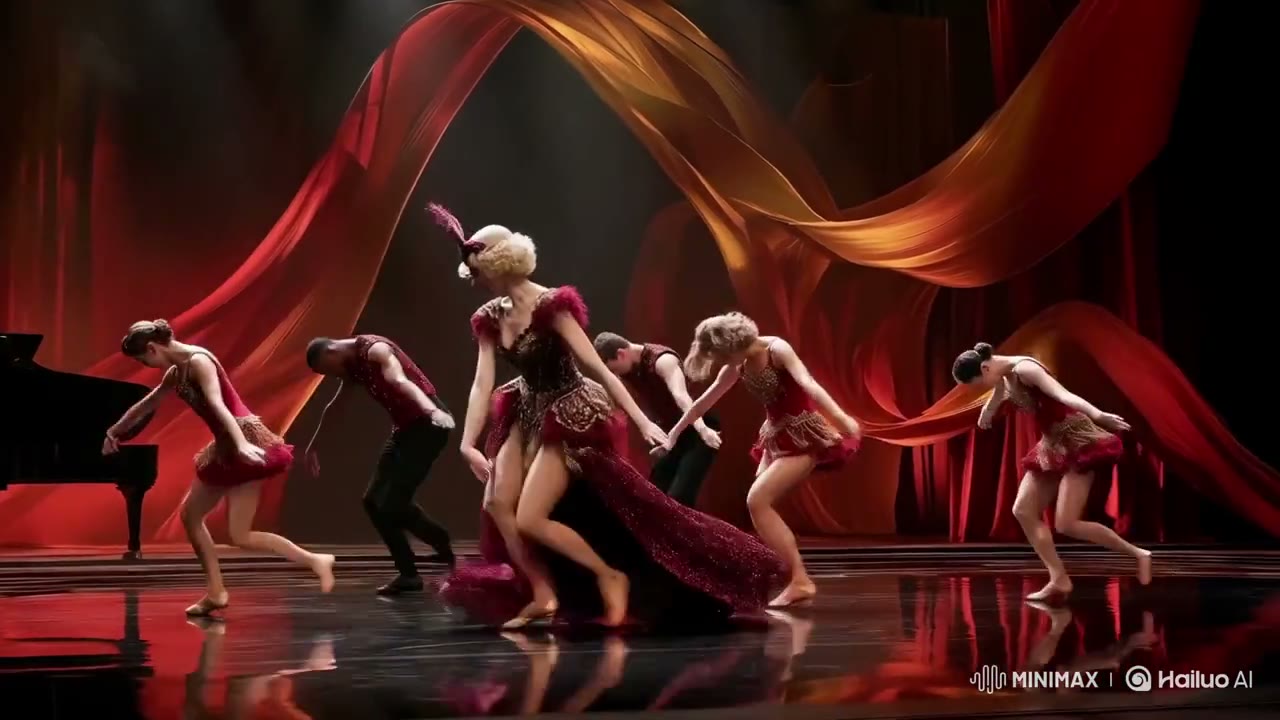
Produce fluid human motion, expressive gestures, choreography, runway moments and interplay with the camera.


Official model guide and online generator
Generate expressive human movement, nuanced micro-expressions, responsive camera motion, and stylized cinematic video. Use the Hailuo 2.3 AI video generator directly below to create from a prompt, image, frame pair, or supported references.
The complete MuseGen video workspace is embedded here and starts with Hailuo 2.3 selected. You can still compare variants or switch models without losing the rest of the workflow.
Generation requires an account and uses credits based on the selected model, variant, duration, resolution, and other settings. Failed tasks are refunded automatically.
Understand where Hailuo 2.3 fits before spending time on references, prompts, and final-resolution generations.
Hailuo 2.3 is all about expressive movement. It handles demanding physical action, facial acting, moving objects and stylised looks better, and follows motion instructions more faithfully. Standard takes text or images; Fast is a quicker image-animation route for production volume.
For performance directors, anime artists, e-commerce brands, social and VFX teams, and character-driven storytellers, the practical advantage is not a single headline benchmark. It is the way Hailuo 2.3 combines Text to video and image to video with Text prompts plus one starting image. That combination determines whether the model can preserve a prepared visual direction or needs to invent most of the scene from language alone.
On this page, research and production live in one flow. Read the official specifications, study the source material, use the prompt framework, and then work in the embedded generator. The selected model defaults to Hailuo 2.3, while the rest of MuseGen's upload, progress, history, reuse, and download experience stays available.
Use these official capabilities to plan the input, format, duration, and production tier before you generate.
Start with work where the model's strongest controls create a practical advantage rather than choosing only by maximum resolution.
Produce fluid human motion, expressive gestures, choreography, runway moments and interplay with the camera.
Direct small facial reactions, eye lines, emotions and lighting shifts for intimate story and ad moments.
Breathe life into anime, illustrated, CG, dreamlike and painted source images with a stronger feeling of motion.
Animate hands-on product moments, splashes, materials, transformations and high-energy commercial effects.
This official media was downloaded from the model developer's launch or product material and optimized for fast playback on this page.
Official source material: Launch footage released by MiniMax for Hailuo 2.3, downloaded and optimised for this guide.
Move from a creative idea to a configured Hailuo 2.3 generation without leaving this model page.
Write the subject, action, environment, camera, style, timing, and sound. If you have reference media, upload it and explain the role of each asset.
Keep Hailuo 2.3 selected, choose the appropriate variant, mode, duration, aspect ratio, resolution, and audio settings, then check the displayed credit cost.
Start the task, follow progress in the result panel, review the completed video, reuse its settings for another take, or download the finished file.
The defining capabilities that shape how Hailuo 2.3 handles direction, references, motion, sound, and delivery.
Direct lively performances with smoother flow, solid structure, finer motion detail and closer response to action prompts.
Get more nuanced acting in close-ups, reactions, spoken moments and ads that centre on a character.
Work in live action, anime, illustrated or ink-wash styles, game-style CG, surreal looks and cinematic effects.
Set products, materials, props and scenery moving with more intent and visual punch.
Use the main model for prompts or pictures, or Fast for cheaper image animation in bigger batches.
Explore ten-second takes at 768p, or pick 1080p for a finished six-second shot.
A strong Hailuo 2.3 prompt behaves like a compact production brief: it gives the model a subject, an ordered action, a camera plan, an art direction, and a soundtrack.
Subject + ordered action + environment + camera + lighting + visual style + timing + dialogue and sound + consistency constraints
“A six-second close-up of a violinist lowering her bow after the final note. She exhales, glances down with a small, proud smile, then looks into the lens as the cold stage light warms. Gentle breathing in the shoulders, steady gaze, lifelike skin and cloth, a slow handheld push-in, no hard cuts.”
Break tricky movement into clear physical steps and give the tempo, speed, balance and final pose.
Say where the eyes look, how the character breathes, small facial shifts and the emotional turn of the shot.
Explain how the visual style should shape the motion, the materials, the light, the effects and the camera.
Choose a tier and format based on where you are in the creative process. Draft settings are for finding the shot; premium settings are for finishing a direction that already works.
| Capability | Hailuo 2.3 support |
|---|---|
| Variants | Standard, plus Fast for image animation |
| Generation modes | Text to video and image to video |
| Inputs | Text prompts plus one starting image |
| Reference control | A single starting image |
| Duration | 6 or 10 seconds |
| Resolution | 768p or 1080p |
| Aspect ratios | 16:9 cinematic widescreen |
| Audio | Picture only — add sound design in post |
AI video is most reliable when the prompt gives each shot one readable visual idea. Review important details before publishing and treat the first generation as a directed take that can be refined.
Complex multi-character interaction, fast occlusion, readable text, logos, hands, and exact object counts can still vary between takes. Use clear references, simplify crowded action, and inspect continuity frame by frame.
Higher resolution does not replace art direction. Lock the story beat, composition, movement, and sound at an economical setting first; then move the strongest direction to the premium variant or resolution.
Hailuo 2.3 is a MiniMax AI video generation model. Hailuo 2.3 is all about expressive movement. It handles demanding physical action, facial acting, moving objects and stylised looks better, and follows motion instructions more faithfully. Standard takes text or images; Fast is a quicker image-animation route for production volume. MuseGen places the complete generator on this page so you can move from research to creation without opening a separate workspace.
Hailuo 2.3 supports Text to video and image to video. That range lets you start with a written idea, guide the opening with an image, or use additional references when the composition, identity, or motion must be more controlled.
You can create 6 or 10 seconds video with output at 768p or 1080p. Pick a lower resolution for quick creative exploration, then use the highest appropriate setting when you are ready to evaluate detail or deliver the shot.
Hailuo 2.3 supports Picture only — add sound design in post. Write dialogue, ambience, music, and effects as deliberate parts of the prompt so the soundtrack supports the visible action and emotional rhythm of the scene.
The model accepts Text prompts plus one starting image. Its reference workflow supports A single starting image. Give every uploaded asset a clear role in the prompt instead of expecting the model to infer which image controls identity, style, composition, or movement.
Hailuo 2.3 is a strong fit for performance directors, anime artists, e-commerce brands, social and VFX teams, and character-driven storytellers. The best choice still depends on the shot: use this page's facts, features, examples, and prompt guide to decide whether its particular balance of control, speed, resolution, sound, and references matches the job.
A reliable prompt names the subject, action, location, camera, lighting, visual style, timing, and sound. Put events in chronological order, quote exact dialogue, and state what must remain consistent. When you upload references, identify each one explicitly.
Yes. The full Hailuo 2.3 generator is embedded directly below the hero on this page. Choose text, image, frames, or references as appropriate, configure the available controls, review the visible credit cost, and start the generation without leaving the model guide.
Model capabilities and media on this page were researched from the developer's official product pages, announcements, and documentation.
Open the complete Hailuo 2.3 AI video generator above, add your prompt or references, and turn the next shot on your list into a finished video.
Start generatingBrowse all models