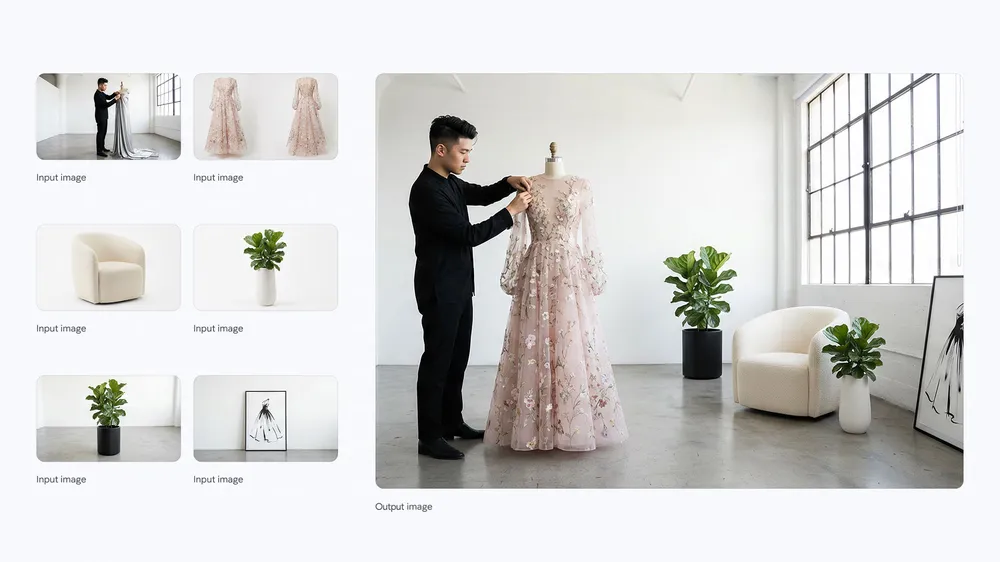
Now live: Seedance 2.5 — clips from 4 to 30 seconds, sound included, 50 references

Seedance 2.5 AI Video Generator

Describe a scene or drop in a still and get cinematic, multi-shot footage with native audio back. Seedance 2.5 runs right on this page — try it free, skip the sign-up, keep it watermark-free.

  • Free to try
  • No sign-up
  • No watermark
Opening the AI video generator…

Generating needs an account and spends credits according to the model and settings you choose. Credits for any failed task are returned automatically.

Text to video, image to video and every route between

Make images

Start from a written prompt, or rework a picture you already have.

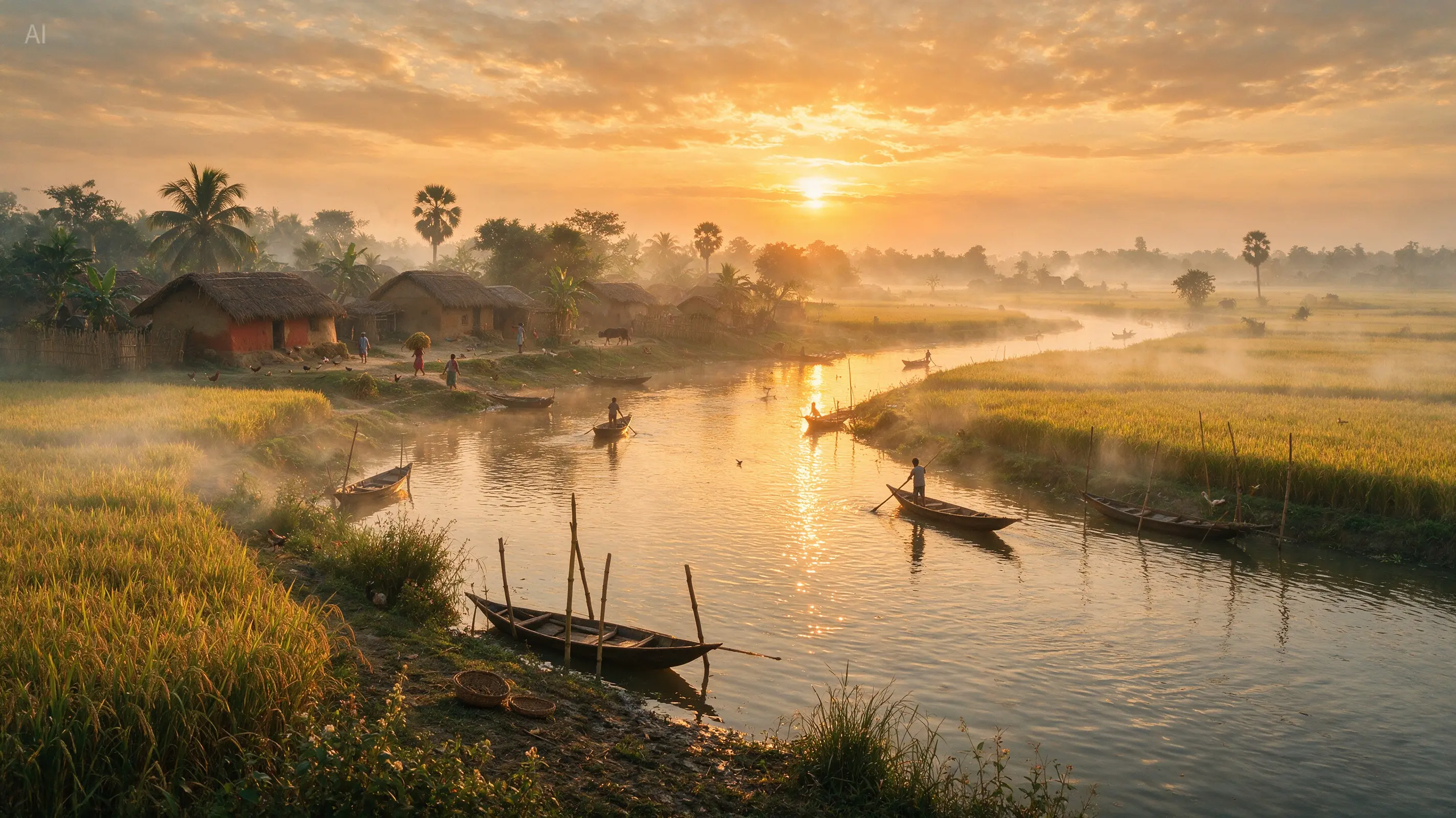
Clips rendered with Seedance 2.5

Inside Seedance 2.5

One AI video generator, four ways to direct a shot

Text to video: write it, then watch it

Text to video turns a paragraph into footage. Say who is in frame, what they do and in which order, how the camera travels and where the light falls, and Seedance 2.5 shoots it. You never touch a timeline or hunt for stock clips. Treat the prompt as a short shot list, not a mood board: once you name the lens move and the sequence of beats, the result shifts in ways you can predict — the reason it pays to write carefully for this model.
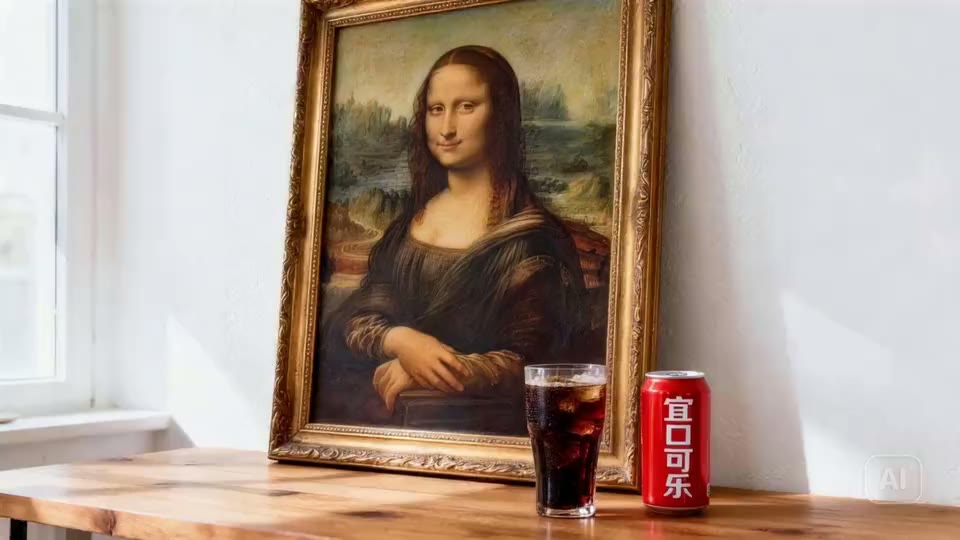
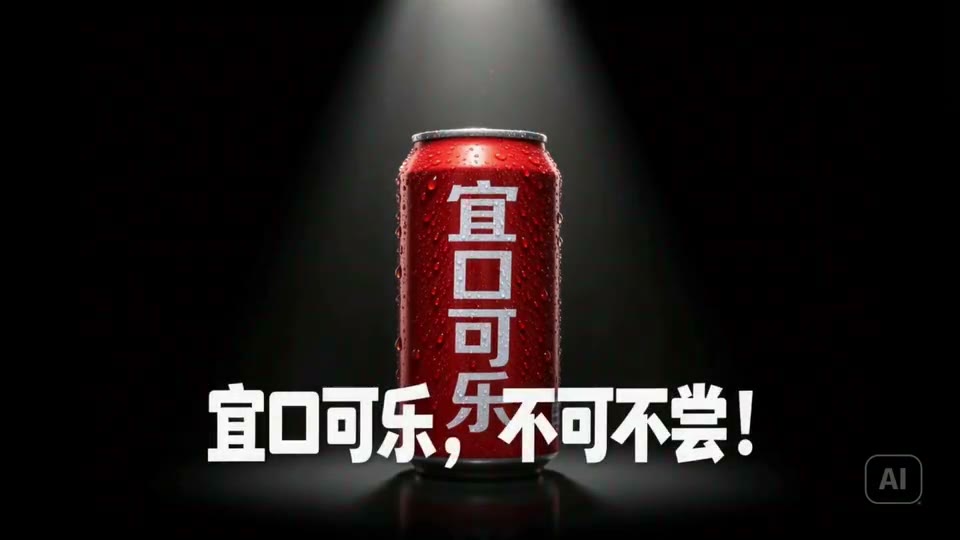
First & last frame
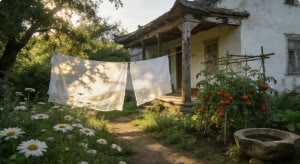
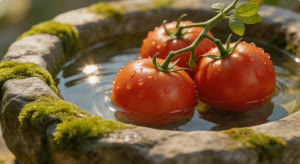
Source still used to generate this AI video

Lock the opening and closing frame

Image to video brings a finished still to life. Add a second picture and Seedance 2.5 reads the two as the first and last frame, travelling between them with intent rather than wandering off. For product spots and recurring characters this is the setting that counts: the clip opens on the composition you signed off and comes to rest on the frame you chose.

Native audio with the picture, in 10+ languages

Silent output usually means a separate audio pass later. Seedance 2.5 builds native audio together with the image — speech, room tone, score and effects — in more than ten languages, and it can follow an audio-only reference when you need one voice or one texture. Put the soundtrack in the prompt and a whole post-production step simply disappears.

Reference

Feed it up to 50 images, videos and sounds

Consistency is built from references. Attach as many as 30 images, 10 videos and 10 audio clips, 50 files at most, and assign every file a role in the prompt — one fixes the face, one fixes the look, one fixes the motion. That way a person, a product or a visual style holds steady from shot to shot rather than being reinvented on every render.

The specs that shape every take

Pick any whole second, single take
4–30s

Pick any whole second, single take

Images, clips and audio as references
50

Images, clips and audio as references

Languages with native audio
10+

Languages with native audio

In 21:9, 16:9, 9:16 and four other ratios
720p

In 21:9, 16:9, 9:16 and four other ratios

13 video models, one workspace

Match the AI video model to the shot you need

H3 Max

Generate polished 5-second 768p videos in around three seconds. H3 Max Turbo turns text, a starting image, or first and last frames into prompt-faithful video with native synchronized audio.

Wan 3.0

Turn a slide deck, a PDF, a public webpage, or up to 20 references into one continuous 30-second shot at 1080P with native audio.

Veo 3.1

Create cinematic AI video with native dialogue, sound effects, first-and-last-frame control, and output up to 4K.

Seedance 2.0

Direct multi-shot video with text, image, video, and audio references, native stereo sound, and precise creative control.

Sora 2

Generate detailed videos with realistic motion, physical cause and effect, synchronized dialogue, and expressive sound.

Gemini Omni Flash

Combine Gemini reasoning with fast video generation, multimodal reference control, and conversational video editing.

Kling v3

Create controlled cinematic shots with first-and-last-frame guidance, native audio, flexible duration, and true 4K output.

HappyHorse 1.1

Generate smooth, consistent video from text, a starting image, or up to nine reference images with native synchronized audio.

MiniMax H3

Generate 2K video with native stereo sound from text, frames, and up to fifteen reference images, clips, and audio tracks at once.

LTX 2.5

Explore native multishot storytelling, synchronized audio and video, automatic duration, Diffusion Fidelity Rendering, and professional 4K HDR output from Lightricks' new open-weight foundation model.

Hailuo 2.3

Generate expressive human movement, nuanced micro-expressions, responsive camera motion, and stylized cinematic video.

PixVerse v6

Create stylized multi-shot video with broad aspect ratios, frame control, reference images, native audio, and flexible duration.

Vidu Q3

Generate narrative video with native audio, cinematic camera language, frame control, and up to seven visual references.

Text to videoImage to videoFirst & last frameReferences to videoVideo to videoText, image or video inPrompt enrichmentReady for every platformFast turnaroundStart free, grow later

A free AI video generator powered by Seedance 2.5

Try the AI video generator before you commit

Hardly anyone wants to pay for an AI video generator before seeing what it does.

MuseGen is set up around that: the tool is the first thing on screen, it opens with no account, and new sign-ups get free credits, so early clips cost nothing at all. No watermark is stamped on the result and no trial clock is ticking. Type a prompt, set a length and a frame shape, then render.

When a task fails its credits come straight back, which makes experimenting truly risk-free. That is a bigger deal than it looks — strong AI video is the product of many attempts, and people only keep attempting when a miss costs them nothing.

From text to video, from image to video, and beyond

Text to video gets you moving fastest: spell out the subject, the action, the camera path, the light and the audio, and Seedance 2.

5 delivers the shot. Image to video begins with a picture you already own — a packshot, a character design, a storyboard panel — and adds movement while keeping the framing intact. Give it two pictures and the model uses them as opening and closing frames, moving with purpose from one to the other.

Multimodal references push further, letting you fix identity, look and motion with as many as fifty files. For an AI video maker the question is not which mode wins; it is that one workspace handles them all, so you pick the mode to suit the shot instead of bending the shot to suit the tool.

What makes Seedance 2.5 the right pick

Seedance 2.

5 is the newest flagship video model from ByteDance, and it is especially good exactly where short-form production tends to fall apart. Length can be any whole number of seconds between four and thirty, so no shot has to be squeezed into a preset duration. Sound is created natively with the image in over ten languages, which cuts out a full post-production stage.

It follows instructions closely enough that calling out a camera move or a sequence of events changes the render in a dependable way. And targeted editing and extension let you finish a take that is almost there, rather than starting over from nothing.

Borrow a prompt that already delivered

With AI video the real challenge is rarely the model; it is deciding what to type.

Below the generator is a wall of thousands of genuine Seedance renders, each shown with the exact prompt behind it. Pick any clip and that prompt fills the generator at the top — no extra tab, no copy and paste.

Swap the subject, keep the camera direction, and render. Nothing teaches you faster what this model reacts to, and it turns an empty prompt field into a quick edit.

Seedance 2.5 AI video generator plans and credits

Sign up for free starter credits, then pay only for the clips you render. Any failed generation is refunded automatically, and unused credits stay on your account.

Plus

25% OFF

For first-time AI creators

$19.9

$14.9/month

$179 billed yearly

Get started

Save $60 compared to monthly

1,000 Credits/month

12,000 credits granted for the full year

Estimated monthly output

125Videos
1,000Images
166Songs

What you get

  • 2 generations running in parallel
  • Batch up to 20 images at once
  • All 13 video models
    H3 Max TurboSeedance 2.5Veo 3.1Gemini Omni
  • All 9 image models
    GPT Image 2.5 FlareGPT Image 2.5 SunburstGPT Image 2
  • Music and sound
    Suno v5.5MiniMax Music 3
  • HD, Watermark-Free Downloads
  • Early access to advanced AI features
  • Commercial use of everything you make
Popular

Pro

30% OFF

For everyday AI creation

$49.9

$34.9/month

$419 billed yearly

Get started

Save $180 compared to monthly

2,500 Credits/month

30,000 credits granted for the full year

Estimated monthly output

312Videos
2,500Images
416Songs

What you get

  • 4 generations running in parallel
  • Batch up to 50 images at once
  • All 13 video models
    H3 Max TurboSeedance 2.5Veo 3.1Gemini Omni
  • All 9 image models
    GPT Image 2.5 FlareGPT Image 2.5 SunburstGPT Image 2
  • Music and sound
    Suno v5.5MiniMax Music 3
  • HD, Watermark-Free Downloads
  • Early access to advanced AI features
  • Commercial use of everything you make

Max

40% OFF

For ambitious AI projects

$99.9

$59.9/month

$719 billed yearly

Get started

Save $480 compared to monthly

5,000 Credits/month

60,000 credits granted for the full year

Estimated monthly output

625Videos
5,000Images
833Songs

What you get

  • 8 generations running in parallel
  • Batch up to 200 images at once
  • All 13 video models
    H3 Max TurboSeedance 2.5Veo 3.1Gemini Omni
  • All 9 image models
    GPT Image 2.5 FlareGPT Image 2.5 SunburstGPT Image 2
  • Music and sound
    Suno v5.5MiniMax Music 3
  • HD, Watermark-Free Downloads
  • Early access to advanced AI features
  • Commercial use of everything you make

Seedance 2.5 AI video generator: common questions

What to know about using the Seedance 2.5 AI video generator on MuseGen — inputs, limits, cost and usage rights.

What exactly is Seedance 2.5?

Seedance 2.5 is the most recent professional-grade video model from ByteDance. It renders any whole-second length between 4 and 30 seconds, takes up to 50 multimodal references, handles precise edits and extensions, and creates native audio in over ten languages. On MuseGen the full Seedance 2.5 AI video generator lives on this page, so an idea becomes a finished shot without switching to another workspace.

Can I use the Seedance 2.5 AI video generator for free?

Opening the generator, writing a prompt and trying every setting needs no account. Rendering a clip spends credits, and every new account receives free credits, so your first videos can cost nothing. Credits for failed generations are returned automatically, so a bad render is never a loss.

How does text to video work in practice?

Text to video converts a written description into footage. Prompts that perform best look like a tight shot list: the subject, the action in order, the setting, the camera movement, the lighting, the style, the pacing and the sound. Seedance 2.5 sticks closely to instructions, so specifying the camera and the rhythm of the action shapes the output far more than piling on adjectives.

How does image to video work here?

Image to video takes a still you upload and sets it in motion. Choose it when the framing, the character or the product is already settled and you only want movement added, not reinvented. Add a second image to fix the final frame and the model will travel from one to the other.

Which reference files can I attach?

As many as 30 images, 10 videos and 10 audio clips, with a ceiling of 50 files overall. Tell the prompt what each file is for — which one defines identity, which one the look, which one the motion. Without that, the model is left guessing, and guessing is exactly where consistency slips.

Does Seedance 2.5 create audio too?

It does. Seedance 2.5 produces native audio with the picture in more than ten languages and also accepts audio-only references. Write speech, ambience, music and effects into the prompt on purpose instead of leaving the soundtrack to luck.

What lengths and resolutions are available?

Any whole-second length from 4 to 30, at 480p, 720p or 1080p, in 21:9, 16:9, 4:3, 1:1, 3:4, 9:16 or Smart Aspect Ratio. First-frame and first-and-last-frame renders take the ratio of the first image automatically. Settle the shot at a low resolution first; extra pixels sharpen a good take but never fix a weak one.

Am I allowed to use the clips commercially?

Clips you create belong to you, commercial projects included. What you prompt is still your responsibility — steer clear of real people's likenesses, trademarks and copyrighted work you are not licensed to use.

Why choose MuseGen over other AI video makers?

Plenty of AI video generators make you scroll past a sales page to reach the model. MuseGen puts the working Seedance 2.5 generator on the very first screen, with thousands of real renders below it. Pick any one and its prompt fills the generator, so you begin from a result that has already worked.

How long does rendering take?

Most clips are done within a couple of minutes; longer lengths, higher resolutions and bigger reference sets take correspondingly longer. You can watch progress while it runs, and completed videos stay in your history to reuse or download.