

Nano Banana 2 Lite Image Generator
Nano Banana 2 Lite is the quickest and cheapest Gemini Image model from Google, made for fast 1K image generation and editing. Use it to draft product shots, sketch ad ideas, test prompts and run high-volume creative rounds, then polish only the strongest results.
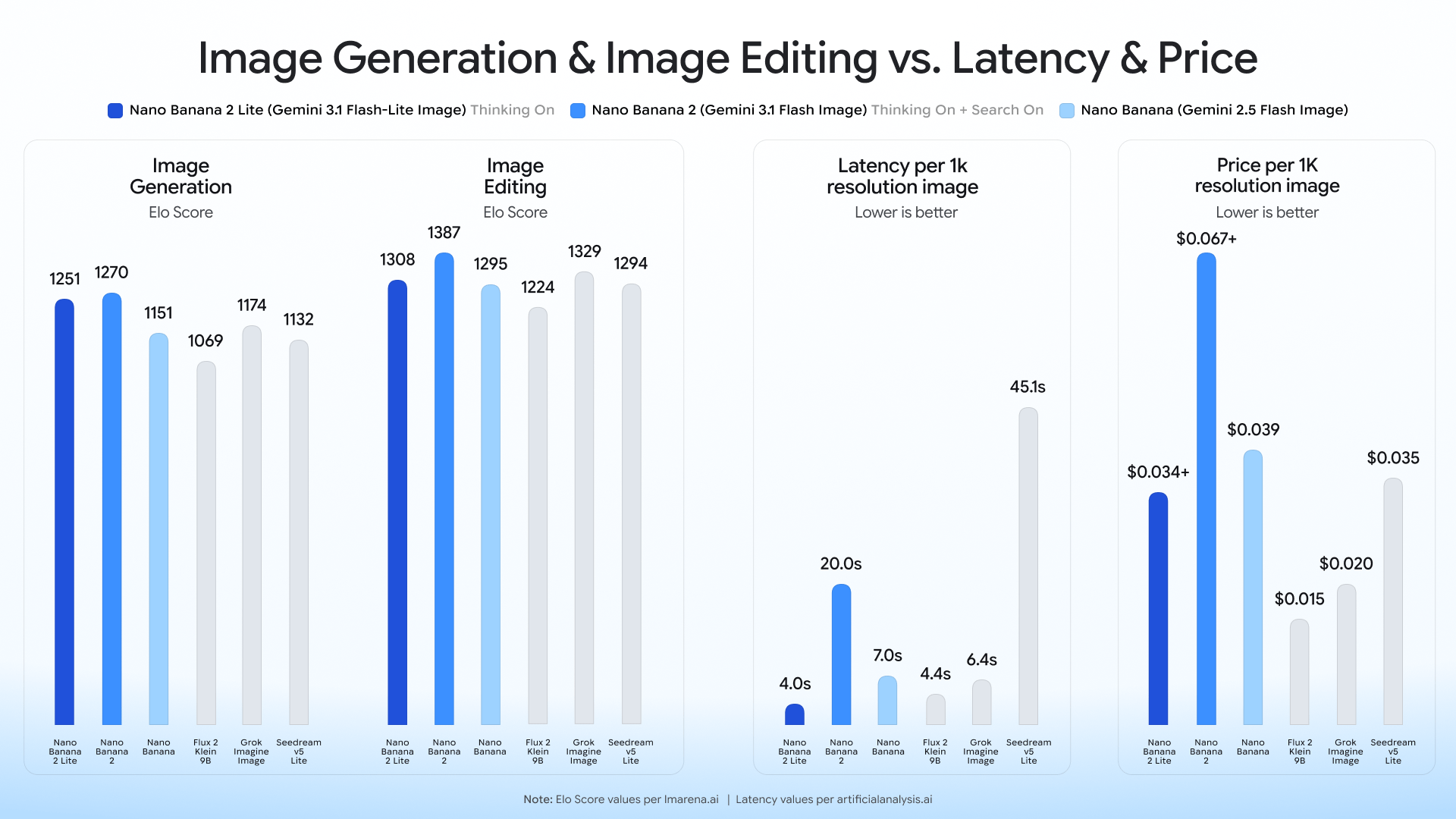
Nano Banana 2 Lite at a glance
For now this page sticks to the model details worth knowing before you pick it for product images.
Where Nano Banana 2 Lite shines
Reach for the Nano Banana 2 Lite image generator when speed and the number of rounds matter more than final polish.
Product image drafts
Produce several product photography directions in minutes, then carry the best composition into final generation, upscaling or background clean-up.
Quick editing rounds
Try quick image editing — layout changes, object swaps, colour direction or scene tweaks — before spending credits on heavier models.
Ad ideas with lots of text
Explore posters, packaging, sale banners and social ads, where better text rendering lets you judge the idea sooner.
Prompt testing at volume
Run more prompt variants for e-commerce, marketplace and social creative work without slowing every decision down.
Official Nano Banana 2 Lite sample images
These stills are taken directly from the Nano Banana 2 Lite model page published by Google DeepMind — official files, not frames pulled from a video.
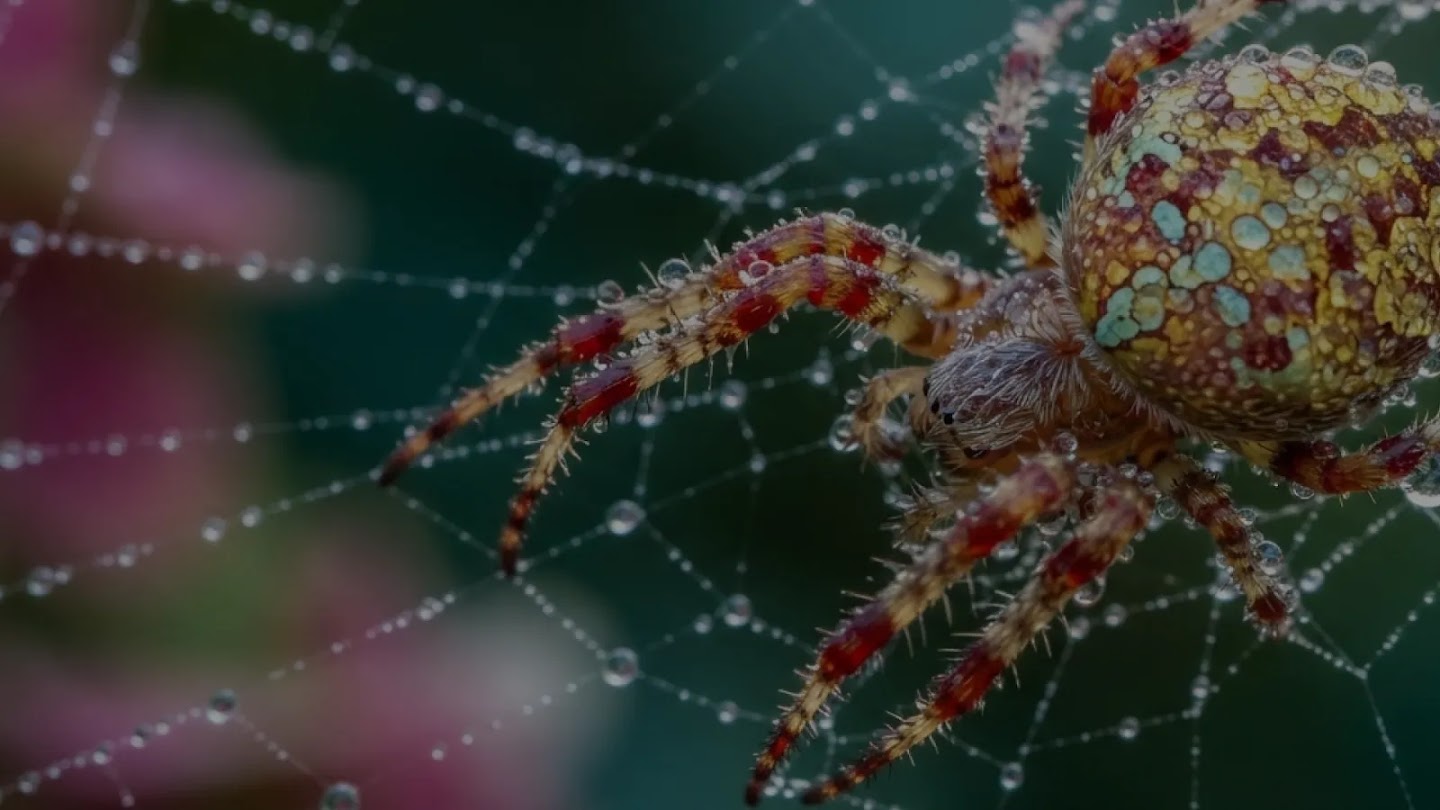
Close-up wildlife
Official sample from Google DeepMind

Sports action
Official sample from Google DeepMind
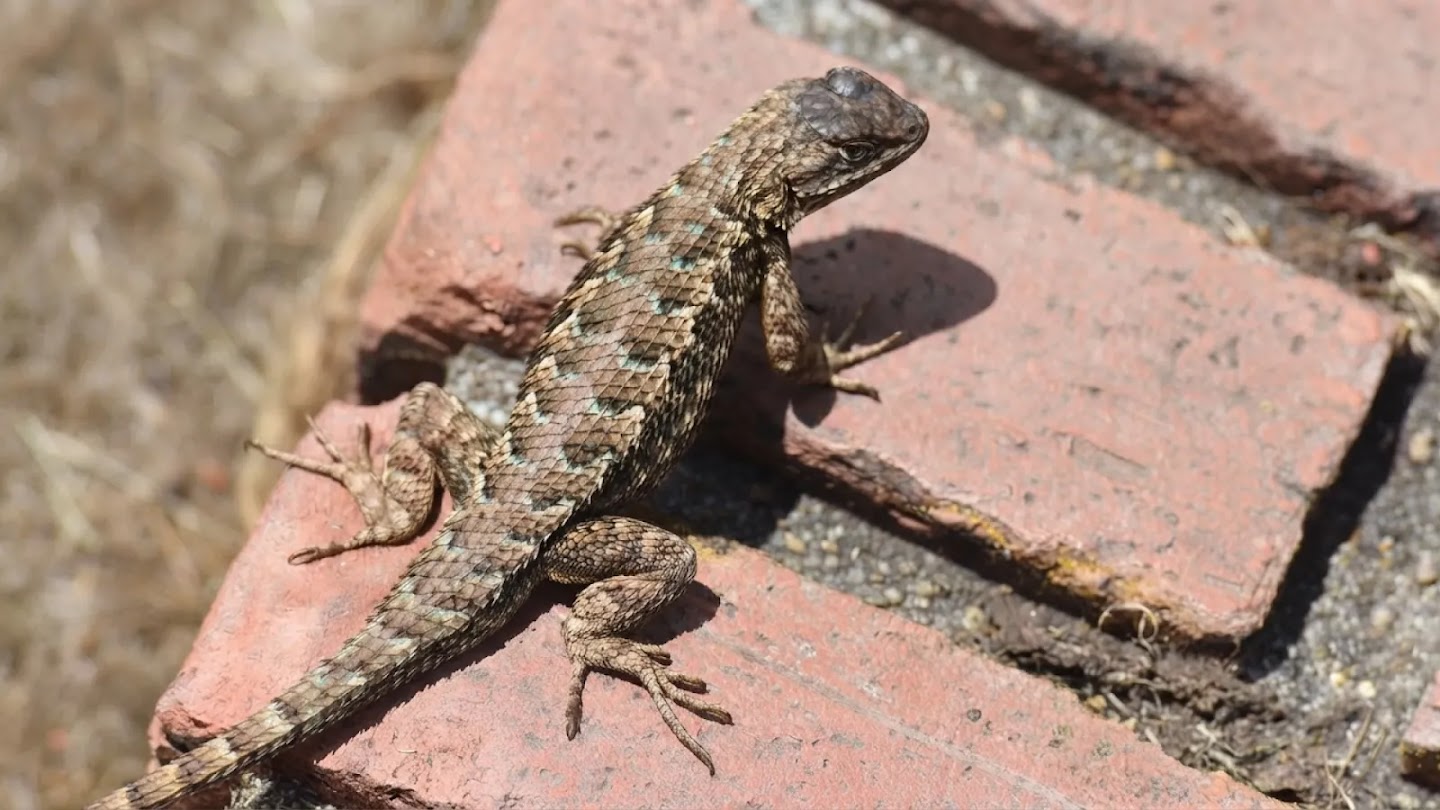
Lifelike texture
Official sample from Google DeepMind

Concept art
Official sample from Google DeepMind
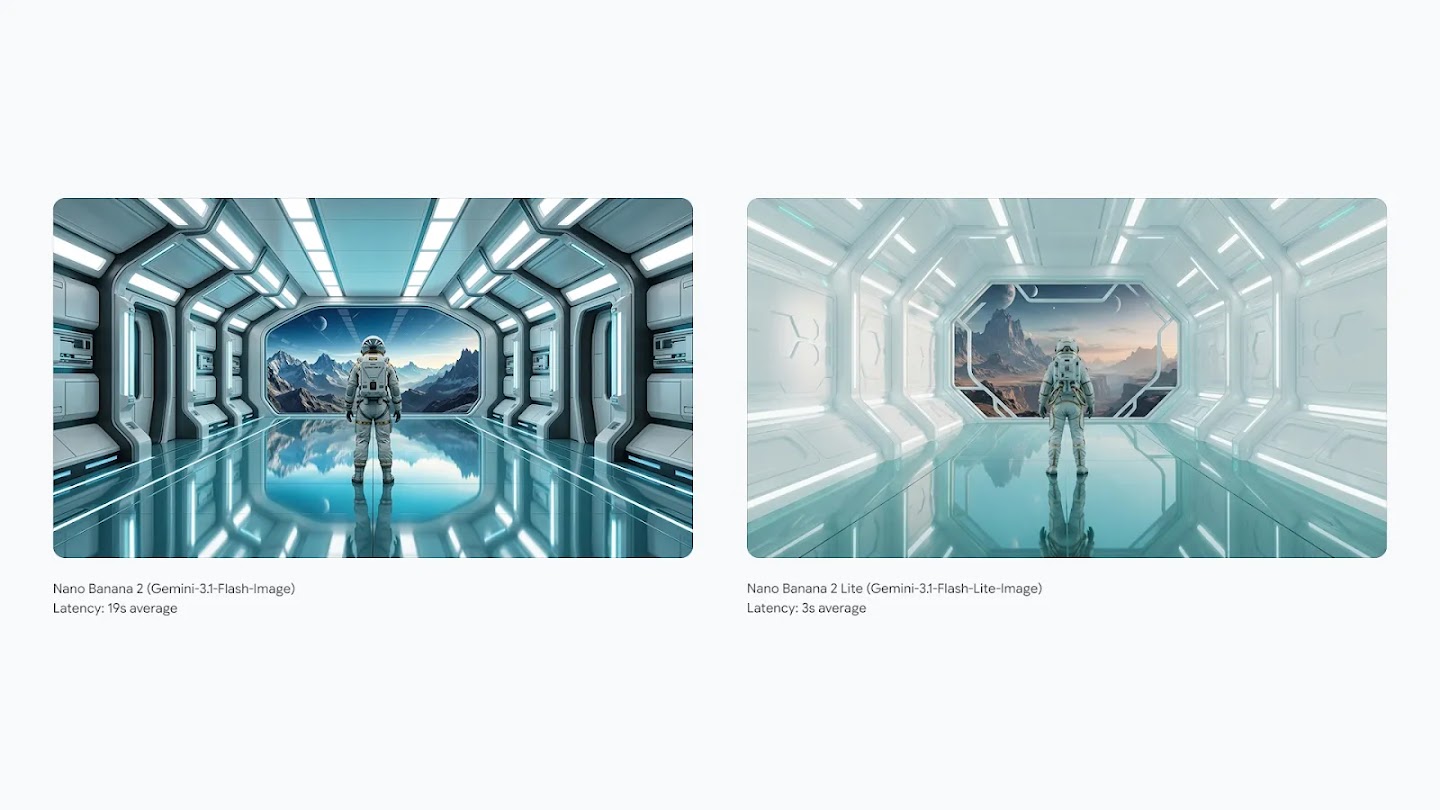
Side-by-side scene
Official sample from Google DeepMind
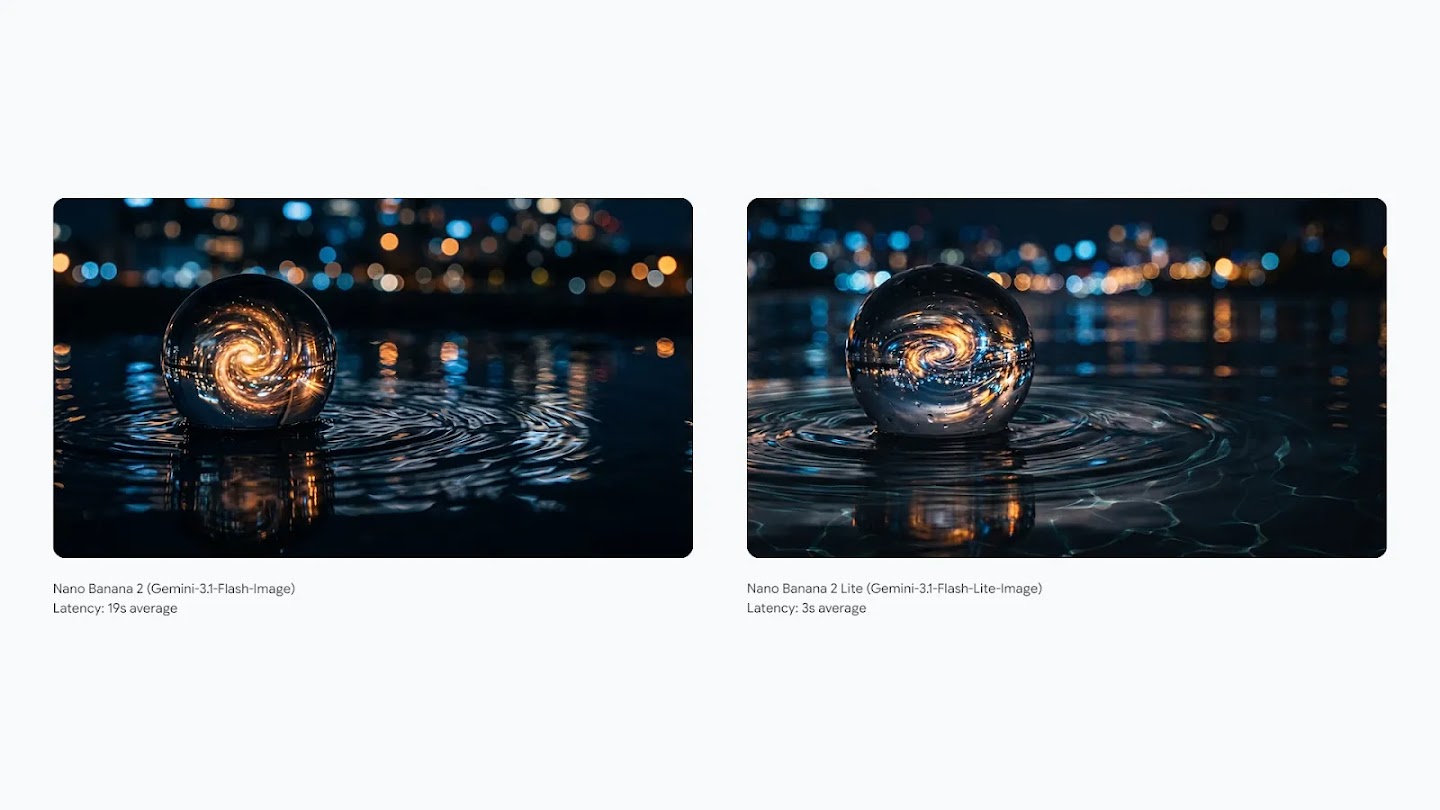
Light and reflections
Official sample from Google DeepMind
Using Nano Banana 2 Lite on MuseGen
Write a product prompt
Describe the product, the backdrop, the camera angle, the style, any wording and the reference picture the model should follow.
Generate quick variants
Use Nano Banana 2 Lite for fast 1K image generation, so many directions can be weighed up before you commit to a final asset.
Finish the chosen image
Hand the winner to MuseGen for upscaling, background removal or resizing, or give it another premium generation round on MuseGen.
What it was designed to do
Nano Banana 2 Lite is the quick, budget-friendly end of the Gemini Image family from Google.
Speed
Google calls Nano Banana 2 Lite its quickest Gemini Image option: text-to-image generation takes roughly four seconds.
Low cost
At an official list price of around $0.034 per 1K image, it is well suited to running large batches of prompt experiments.
Create and edit
It handles both generation and editing, with better prompt adherence, more consistent characters and improved text rendering.
Built-in provenance
According to Google, every Gemini image ships with a SynthID watermark and C2PA content credentials out of the box.
A practical MuseGen workflow built around Lite
Think of Lite as the quick exploration stage of a product image pipeline, then let MuseGen's other tools finish the job.
Map out the options
Begin with a broad prompt and run a handful of quick image generation rounds. Because Lite is tuned for speed and low cost, it helps you discover which camera angle, backdrop, text position and product styling deserve more attention.
Pick the best draft
Judge the drafts on how clearly they show the product, how well they fit the brand, their composition and how readable the text is. Keep the image that sells the idea quickest instead of perfecting every variant.
Tighten with focused edits
Use follow-up edits to adjust props, cut distractions, show the product off better or try alternative copy. Lite is especially handy for checking a change before you spend on a premium generation round.
Finish with bulk tools
Once you have a winner, run it through MuseGen's upscaling, background removal, resizing, conversion or watermarking so it is ready for listings, ads, marketplaces and social posts.
This keeps the costly part of the process focused. Lite takes care of fast ideation, a stronger model handles final-quality generation when it is needed, and MuseGen's image tools deal with the repetitive production steps that usually hold up a catalogue launch. For teams juggling many SKUs, the split makes reviews simpler too: creative leads sign off the direction first, operators finish the approved images in bulk, and failed experiments never clog up production. Product teams get a clearer route from idea to a publishable image.
How Nano Banana 2 Lite compares with other MuseGen models
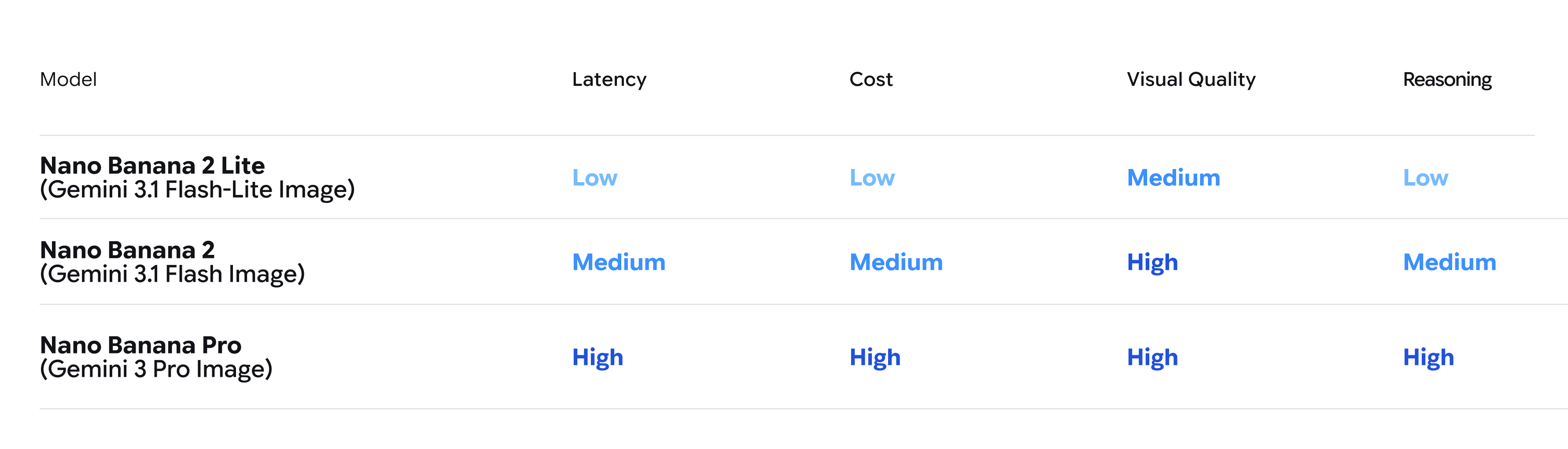
Choose Lite for quick drafts and Nano Banana 2 for balanced everyday work; move to Nano Banana Pro if the final image has to be as good as possible.
| Model | Best for | Output | Cost |
|---|---|---|---|
| Nano Banana 2 Lite | Fast drafts and high-volume product image iteration | 1K | Lowest |
| Nano Banana 2 | Balanced quality and speed for everyday generation | 1K+ | Medium |
| Nano Banana Pro | Premium scenes, stronger detail and final creative assets | Higher | Higher |
What to know before picking Lite
Lite is deliberately tuned for speed and price, so it is not meant to replace every higher-quality workflow.
It only outputs 1K, so upscale or switch to a higher-resolution model for large final assets.
Google's image generation docs say Nano Banana 2 Lite has no Google Search grounding, so use it to create visuals, not images that must reflect verified facts.
Nano Banana 2 Lite questions
What exactly is Nano Banana 2 Lite?
It is a Google Gemini Image model built for quick, inexpensive image generation and image editing at 1K.
Which API model ID does Nano Banana 2 Lite use?
In Google's API it is listed as gemini-3.1-flash-lite-image.
Does Nano Banana 2 Lite work well for product images?
Yes. It suits quick product image drafts, e-commerce ad ideas, layout experiments and prompt testing before a final polish.
What resolution are Nano Banana 2 Lite images?
According to Google's published model details, Nano Banana 2 Lite produces 1K images.
How quick is Nano Banana 2 Lite?
Google puts text-to-image generation at about four seconds, which makes it the speed pick of the Gemini Image family.
Can Nano Banana 2 Lite edit images?
Yes. Both Google's announcement and its documentation say Nano Banana 2 Lite handles generation and editing.
When is Nano Banana Pro the better choice?
Switch to Nano Banana Pro once the image is nearly final, if detail and polish now count for more than speed, or whenever a premium result is required.
Can I use Nano Banana 2 Lite on MuseGen today?
Yes. Open the MuseGen generator, pick the model when it is offered, and refine the result with the other MuseGen tools.
Official sources and assets
Model claims on this page rely on public information from Google and DeepMind, and the visuals are official Google launch assets.
Begin with quick Nano Banana 2 Lite drafts
Rough out product image ideas quickly, then finish the best one with other MuseGen tools.
Try it on MuseGen